
Has someone asked you to prove you’re “tax compliant”? Does a tender form want a PIN you don’t have? Or are you still waiting for your tax refund?
If so, you need a SARS tax status check.
The good news is that it’s easy. The bad news is that many people only find out they’re “non-compliant” when it’s too late, like just before a big contract or a loan. That’s stressful, and it doesn’t have to happen.
This guide shows you, step by step, how to check your tax status on SARS eFiling, what the red and green signs mean, how to get a SARS TCS PIN, how to track your refund, and how to fix problems. I’ll also share one small mistake that catches a lot of people out.
SARS Tax Status Checker
Guidance only — this is NOT a live SARS lookup. We never ask for your tax number, ID or password. Answer the four checks SARS uses.
What Does “SARS Tax Status” Mean?
Your SARS tax status tells you one thing: are you up to date with your taxes?
SARS checks four things:
- Registration: Are you registered for the taxes that apply to you, like income tax, VAT, or PAYE?
- Returns: Have you sent in all your tax returns?
- Debt: Do you owe SARS money that isn’t on a payment plan?
- Documents: Has SARS asked for documents you haven’t sent?
If all four are fine, you’re tax compliant. This is also called being “in good standing.” If one of them is a problem, you may be non-compliant.
Remember, your status can change at any time. If you miss a VAT return this month, your status can change straight away. So it’s a good idea to check it often, just like your bank balance.
Why You Might Need to Check Your Tax Status
Most people check their status because something needs it. Common reasons are:
- Government tenders: You usually need proof of tax compliance to apply.
- Getting paid by big companies: Many companies, and the Central Supplier Database, ask for your status before they pay you.
- Sending money overseas: Big transfers abroad often need SARS approval.
- Loans: Some banks ask for it, mostly for business loans.
- A late refund: Problems with your status can delay money SARS owes you.
- Peace of mind: It’s good to know where you stand.
The last reason is the best one. If you only check when someone asks, you check in a rush. That’s when bad news hurts most. Checking every month or two helps you avoid surprises.
Tax Clearance Certificate vs Tax Compliance Status (TCS)
You may remember the old tax clearance certificate. It was a printed page with an expiry date.
In 2016, SARS replaced it with the Tax Compliance Status (TCS) system. Some people and forms still say “tax clearance certificate,” but today they usually mean a TCS PIN.
Here’s the difference:
| Old Tax Clearance Certificate | Tax Compliance Status (TCS) | |
|---|---|---|
| What it is | A printed certificate | An online status and a PIN |
| How current | Only correct on the day it was printed | Always shows your status today |
| How it’s checked | Someone looks at the paper | Someone enters your tax number and PIN on eFiling |
| Fraud risk | Easy to fake or use an old copy | Very hard to fake |
Why did SARS change it? A paper certificate could say “compliant” even after someone stopped paying tax. With TCS, people see your status as it is today. That’s fairer for everyone.
How to Do a SARS Tax Status Check on eFiling (Step-by-Step)
Follow these steps to check your tax status on SARS eFiling:
- Log in to SARS eFiling. Use your username and password. If you forgot them, click reset and use the OTP sent to your phone or email.
- Turn on Tax Compliance Status (first time only). If you’ve never used it, you may need to activate it. Look in your user profile or the Tax Status menu. You only do this once.
- Open Tax Status. You’ll find it on the eFiling home page, at the top or on the side.
- Click “My Compliance Profile.” This is your compliance dashboard.
- Check your status. It will say Compliant or Non-Compliant.
- Click anything red. It shows you exactly what the problem is.
You can also use the SARS MobiApp on your phone to do the same check.
Note: SARS sometimes changes the eFiling layout, so a button may be in a different place. If you can’t find it, use the search box or the help pages.
Understanding Your SARS Compliance Dashboard
My Compliance Profile may look confusing at first, but it’s simple once you know how it works.
Each of the four checks has its own indicator. Here’s what usually turns each one red:
| Indicator | Common reason it turns red |
|---|---|
| Registration | You have staff but didn’t register for PAYE |
| Submission of returns | You forgot to file a return |
| Debt | You owe interest or a penalty |
| Relevant material | You didn’t send documents SARS asked for |
Green means everything is fine. Red means something needs fixing. You are only “Compliant” when everything is green.
Here’s the small mistake I mentioned earlier: old, small debts. Even a R150 penalty from years ago can make your whole status red. Many people pay their tax and think they’re done, but miss a small amount left over. So always click on the Debt indicator, even if you think you owe nothing.
How to Request a TCS PIN
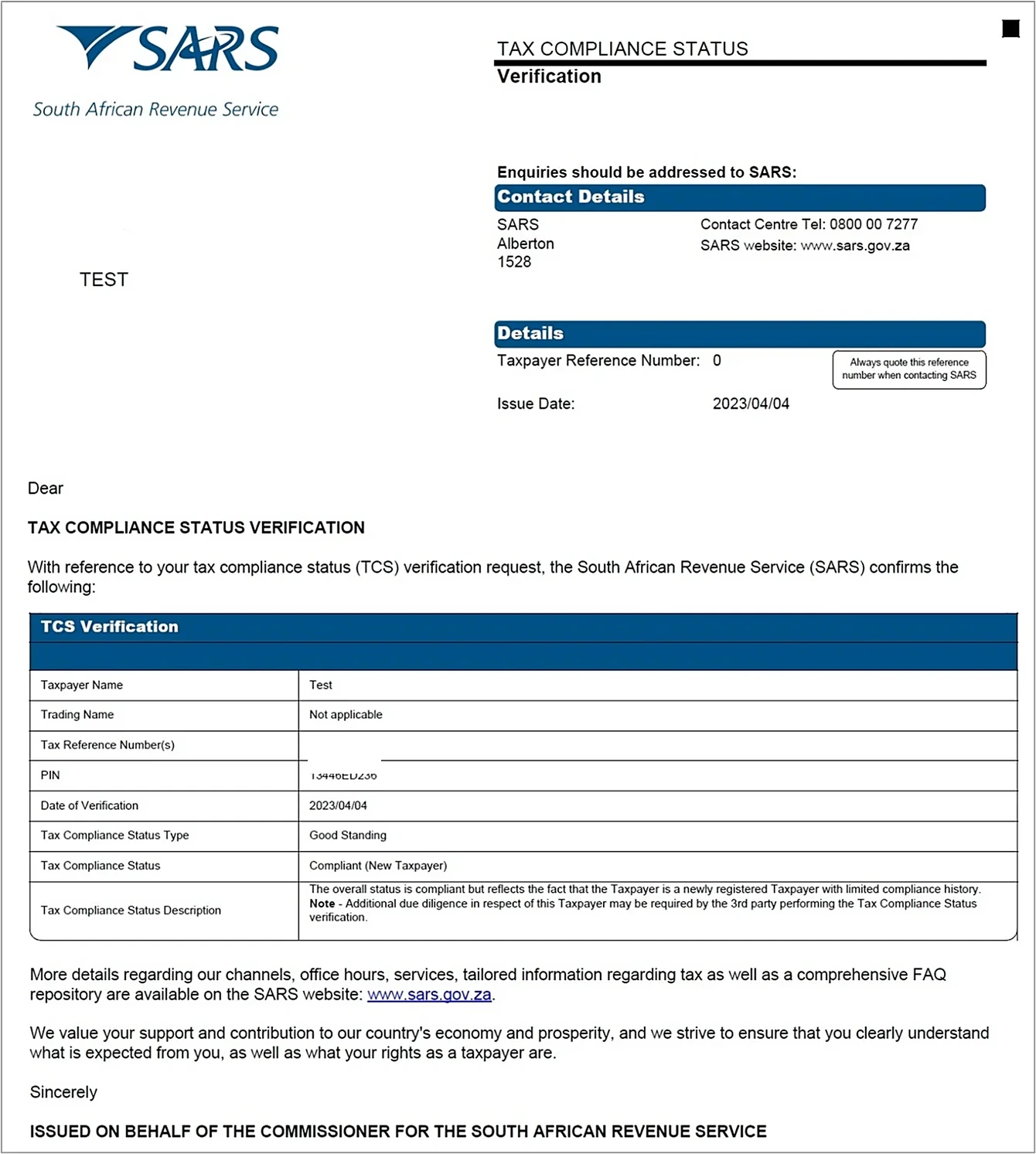
To prove your status to someone else, you need a SARS tax compliance status PIN. With this PIN, they can see your status but not your other tax details.
To get a PIN on eFiling:
- Log in, go to Tax Status, and choose to request a Tax Compliance Status (TCS).
- Choose the type of request:
- Good Standing: for suppliers, banks, and general use.
- Tenders: for government tenders.
- Approval International Transfer (AIT): for some large transfers overseas.
- Fill in any extra details and submit.
- If you’re compliant, SARS usually gives you the TCS PIN quickly, often right away.
Good to know:
- Your PIN has an expiry date. Check it before you share it.
- The PIN always shows your status today. If your status changes, people will see that.
- A registered tax practitioner can get the PIN for you, visit a SARS branch
How to Check Your SARS Refund or Return Status
Many people just want to know: where is my refund? check your SARS refund status
To check your SARS tax return status and refund online:
- Log in to eFiling or the SARS MobiApp.
- Go to Returns and open Returns History.
- Choose the tax year. You’ll see a status like Filed, Assessed, or Under Verification.
- Open your ITA34 (Notice of Assessment). It shows if you get a refund or owe money.
- Check your Statement of Account to see if the refund was paid.
What the statuses mean:
- Filed: SARS has your return.
- Assessed: SARS has checked it and sent your ITA34.
- Under verification or audit: SARS needs documents from you. This delays refunds.
- Refund paid: Check your bank account. If the money isn’t there, make sure your bank details on eFiling are correct.
If there’s no verification, refunds often arrive within a few working days. If SARS asks for documents, it takes longer. Send them as soon as you can so you get paid sooner.
What to Do If Your Tax Status Is Non-Compliant
If your status says Non-Compliant, don’t panic. In most cases, it’s easy to fix.
Follow these steps:
- Find the problem. Open My Compliance Profile and click each red indicator. SARS shows you what’s wrong.
- File missing returns. This is the most common problem. File them even if you owe nothing.
- Deal with any debt. Pay what you can. If you can’t pay it all, ask for a payment arrangement on eFiling.
- Fix registration. If you should be registered for VAT or PAYE, register now.
- Send documents. Send any documents SARS asked for.
- Check again. Look at My Compliance Profile again after SARS updates your file (see the FAQ below on timing).
If you have problems going back several years, a registered tax practitioner can help. They know what to fix first, which saves you time.
If you think SARS made a mistake, you can query it on eFiling, call the SARS contact centre on 0800 00 7277, or book a branch appointment.
How to Verify Someone Else’s Tax Compliance Status
If you’re hiring a contractor or supplier, you can check their status too. Here’s how to verify a supplier’s tax compliance status:
- Ask for their TCS PIN and tax reference number.
- Log in to your own eFiling profile.
- Go to Tax Status and choose verify a TCS PIN.
- Enter their details and submit.
- Read the result. It shows if they’re compliant and if the PIN is still valid.
Don’t just trust a PDF or printout. These can be changed. The check on eFiling is live and can’t be faked. Always check it yourself, especially before a big payment.
Tips for Staying Tax Compliant All Year
It’s easier to stay compliant than to fix problems later. These tips help:
- Check your status every month. Set a reminder on your phone.
- Know your deadlines. Write down filing dates, provisional tax dates, and VAT and PAYE dates.
- File even if you owe nothing. A missing nil return can make you non-compliant.
- Keep your contact details up to date. Then you won’t miss messages from SARS.
- Pay small amounts quickly. Even small debts can change your status.
- Keep your papers in order. Keep IRP5s, invoices, and medical aid and retirement annuity certificates in one place.
- Get help if things get complicated. A tax practitioner is useful if you run a business or have more than one income.
Staying compliant is like going to the dentist. Regular checks keep small problems from becoming big ones.
Frequently Asked Questions
What is a SARS tax compliance status?
It shows whether your taxes are in order right now. It’s based on the four checks explained earlier.
How do I check my SARS status without eFiling?
You can use the SARS MobiApp, ask a tax practitioner, call the SARS contact centre, or visit a branch.
Can I check my tax status on the SARS app?
Yes. The SARS MobiApp lets you see your returns, assessments, and compliance details on your phone.
What does “under verification” mean on SARS?
SARS needs documents to check your return. Your refund will wait until you send them.
Do I need a TCS PIN if I’m a salaried employee?
Usually not. You only need one if someone, like a bank or tender office, asks for it.
How do I request a tax clearance certificate from SARS?
SARS no longer issues paper certificates. You now request a TCS PIN instead. See the PIN section above.
How long does SARS take to update my tax status?
It depends on what you fixed. Some changes show quickly, others take longer. Wait a few working days before you follow up.
Conclusion
A SARS tax status check is quick and easy. Log in, open My Compliance Profile, look for red, and fix what you find.
Most people who get into trouble just never checked. Don’t wait until a tender, loan, or overseas transfer forces you to. Check your status today, get your TCS PIN early, and check again every month.